ShikataLab v1 [Part 1]: Overarching Choises
Preamble
Upon first browsing the plethora of Self-Hosted applications over at the SelfHosted Reddit - i’ve always wanted to build a home appliance lab for making and deploying custom applications exposed locally to my network. Most people inside of my household have a Technology background (two Full-Stack developers and one DevOps Engineer) - so the most self-fulfilling option is to have a Homelab that…
- Provides an easy-to-manage testing ground for POC’ing various services; Either in a containerized environment or via a simple compute virtualization platform
- Allows for easy cleanup and cost-efficient measures; (I am VERY cheap and VERY bad with leaving cloud-services running and incurring a huge bill; so the various Cloud-Hosted Solutions such Hosting on Astroids, RackSpace Solutions or a major cloud provider are not something I want to trek into for home development purposes
- Can act as an easy-to-expose option for deployment and management of containers
Choosing a proper Virtualization solution
From this; there are three main ‘Compute-Based’ easy to setup solutions that exist (hardware aside)
- vSphere
- VirtualBox
- Xen Project
- ProxMox
Obviously most of these are mainly focused on the Enterprise-level; however these sort of enterprise virtualization platforms are perfect for what I have in mind and fulfill most of the criteria above.
I’ve played with all of these in depth and have deployed these using both an Intel NUC and Dell Workstation setup; and here are the main pros/cons i’ve had with each:
vSphere / ESXI
vSphere is a weird beast to tackle in a single post; its used in almost every single Enterprise environment and is primarily deployed on server racks or enterprise supported workstations; obviously this can be deployed for non-enterprise grade hardware (my Intel NUC or old-as-heck Dell workstation should be fine for this)
Pros:
- Easy-ish first-time-setup: vSphere is a UNIX based system that has a lot of custom web-ui elements in its initial first-time-setup unlike most platforms i’ve seen. Most setup is simplistic and first-time running is super easy and doesn’t require any real changes under the hood to get what I want
- Easy to manage UI interface: compared to the other services I’ve used it appears that VMWare has the most ‘modern’ sort of flash Web-Ui interfaces to use
- Work experience with the platform: it sounds silly, but having some experience with these types of products, even in a homelab setting, are super helpful to demonstrate in an interview or in your resume. Since vSphere / VMWare products are common in an enterprise setting, it will probably come up often if looking at getting a Sysadmin / SysOps position
- Tons of Sysadmin-Aimed Documentation: since VMWare is a commonly sought out solution for sysadmins, there are a TON of working environments that are probably similar to what you are developing on. This means that most errors / failures you occur in the platform have some documentation / StackOverflow page somewhere detailing a step-by-step pattern to finding a solution
Cons:
- HUGE License costs: unless you want to dawn a pirated cracked ISO; I have no real moral quarrels with this but its still something to consider if you wish to use this platform. (Side note: Most tech-related Universities or Colleges have some sort of student trial / discount program with VMWare as part of licensing; either via OnTheHub or some sort of student-membership program, but vSphere and ESXI hosts are ‘discounted’ instead of a fully fledged trial license)
- Lack of intuitive API / code-based automation: I find this a super niche take for most people attempting to develop with VMWare, however a good chunk of their API’s are locked to the ‘Cloud Only’ license tiers of VMWare. Its somewhat annoying and kind of of contribute to the anti-automation sentiment that most vendors have with their products (See the SSO Tax for an example of this). VMWare HAS gotten better at this, adding some Postman samples and Developer Guides - but having an API that has holes between what a user can do via UI in your service is annoying at best and detrimental at worst. On TOP of this, Prometheus / OpenMetrics / ANY OTHER STANDARD that you want to expose via vSphere is not doable out of the box
VirtualBox
I’ve actually used this in the past in my original Homelab (nicknamed ‘Honba’) - This along with other Virtualization platforms (Hyper-V for example) aim to expose specific web endpoints and use an external HTTP Web-Server to scrape and push data to your actual compute-node. All of the Virtualization platforms mentioned above do this to some extent, but VirtualBox is the most apparent of all of these, installation is a separate configuration, aptly named phpVirtualBox
Its a neat first-time-setup type of deployment; however I don’t see this used in any enterprise environments that i’ve been in; mainly due to its upkeep and lack of HA/DR.
On to the pros/Cons then..
Pros:
- Community Maintained: This was probably the best part about when I first stumbled upon this; VirtualBox
- SideCar availability: By default,
Cons:
- Really janky installation: This may be due to Oracle being bad at providing a good support framework to VirtualBox for developers, but the setup and installation of this program on to a web server is the most un-intuitive i’ve experienced, the versions of dependencies are super old, and do not work on newer versions of VirtualBox (past version 6.1)
- HUGE Dependency issues: The primary things I wanted to do with my homelab (Network separation, NACL configuration, and Honeypotting) are limited by the functionality of VirtualBox; virtual switches and config are un-intuitive at best and are not recommended
- Random UI/UX Problems: Because this is essentially a connector to your main VirtualBox compute platform, things like API limiting on the VirtualBox instance, along with various server-side issues lead to a deployment pattern that causes random bugs. This isn’t a huge issue at first glance but leads to a real
Xen Project // XenServer
I haven’t heard of many people running this in a homelab-like environment in a while, but Xen Project was one of the main names other than vSphere and ProxMox being mentioned by most people I know; The biggest benefit of this is using an open-source like platform that has a branched enterprise version (either XenServer or Huawei UVP) if needed. Its uncommon to see this used as much as vSphere but it is useful from a background perspective
Pros:
- Work Experience with the Platform: Similar to vSphere, Xen Project / Citrix Hypervisor is used a ton in the Enterprise space for its ability to be seamlessly managed. Although its not as used (in my experience) to the vSphere monalith that exists in most companies today; its still somewhat important to note. Its also very important to note that larger-scale Cloud Providers (E.g. AWS) have used these virtualization platforms in the past - so it may be still useful to pin a homelab using these technologies for experience alone
- Open Sourced: Similar to Proxmox, the entire virtualization platform is based on open sourced virtualization standard (XEN). This allows for more documentation and more real-world applications compared to other environments (additionally, the skills transfer over very well to plain libvert / qemu KVM enterprise businesses)
Cons:
- Feature Set: One of the biggest gripes i’ve had with XenServer is the lack of KVM, which in my homelab is somewhat of a requirement for me. Paravirtualization is still a large selling point of using built-in XEN architecture instead of QEMU/KVM alternatives, however most of my use-cases will run containerized, and in addition I want containers to be directly managed from the Hypervisor’s web UI instead of via a third party install on a VM (E.g. Portainer or Kube-UI)
- Not as widely adopted: Although minor, its an important point to note that there are less open-sourced users that actively use Xen Project compared to other open sourced standards, this wouldn’t be a huge issue in an enterprise sense, but for the amount of time you’d want to dedicate to learning a technology for HomeLab purposes its something to note.
Proxmox
Best for last, I guess. A little bit of background here; Proxmox was my third ‘enterprise virtualization’ platform that I used after vSphere and VirtualBox, I was mainly looking for a better way to develop and learn host to setup and host services to benefit my real work at the time.
By far Proxmox has blown me away with how much it fits my needs, Containerization is nice, the Web UI (although VERY depreciated at times) works for what I need it for, and the API is workable at least
Pros:
- Mirror-Like Feature Set: Compared to other platforms, proxmox almost has complete feature parity
- Built-in Containerization Support: This one is big for me; most people that use my Homelab today only want to spin up dumb builds of projects that persist on a server that takes up less than 2GB of RAM, containerization is a beautiful way of doing this however there are a lot of hoops you’d normally have to jump through for Persistent Volumes or KVM passthrough. Proxmox handles this Beautifully - we are able to deploy simple long-lasting containers from Proxmox’s API and UI easily
Cons:
- Kind of a Bad API: This is more a personal gripe than anything else, one of the problems that I’ve noticed with the ProxMox API is (similar to vSphere) the lack of proper API documentation. This has gotten WAY better in recent years with their API Viewer - but its fairly unintuative compared to people who have worked with better API strategies. For example; when executing remote backup jobs via GitHub Actions or via locally hosted GitLab, its common to require 4-5 separate API calls to get the information you need for a specific container (or VMs) context / ID before doing a single call to backup to external storage. Comparing this to something like a classic
vzdumpof your instance makes this very undesirable. - UI isn’t as nice: Its been mentioned quite a few times and some attempts at improving the API, but its safe to say that the built-in API that comes with Proxmox isn’t as nice as vSphere.
- Very low-level physical host: Again, more of a personal gripe; proxmox uses a
Node -> Datacentermodel, which has a ton of benefits and availability for HA/DR, however most remote management of specific nodes aren’t really doable without individually launching a SPICE session inside of the ProxMox UI. This, compared to vSpheres UI + API based method that doesn’t require access to nodes to accomplish tasks is annoying at best, and cumbersome at worst
Final Choices
With all that said, I came to the decision to use ProxMox as my Homelab platform due to its simplicity and resource-light virtualization layer
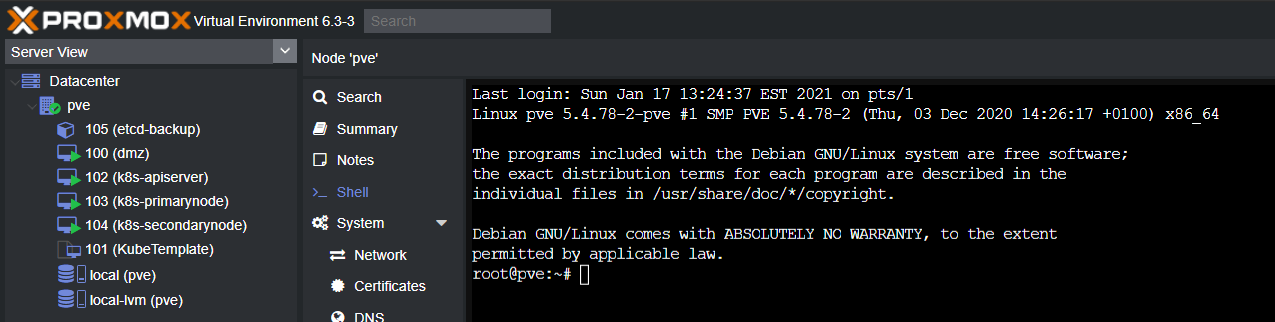
Setup and discussion will be in the next post